
Download mncode
One CLI for your terminal, one Desktop cockpit for everything else. Standalone native Go binaries with zero runtime dependencies. Both editions are free while in beta.
Visual Subagent Swarm Cockpit & Sidecar Terminal
Experience the full GUI workflow with Wails v2: live agent streaming, multi-session terminals, sidecar chat, curated skills marketplace, and the Power Tools cockpit with Drift Sentinel, Sandbox Fixture Runner, Code Index, Red Team Arena, Flight Recorder, and Spec Contracts. v0.1.6-beta is out now for macOS, Windows, and Linux.
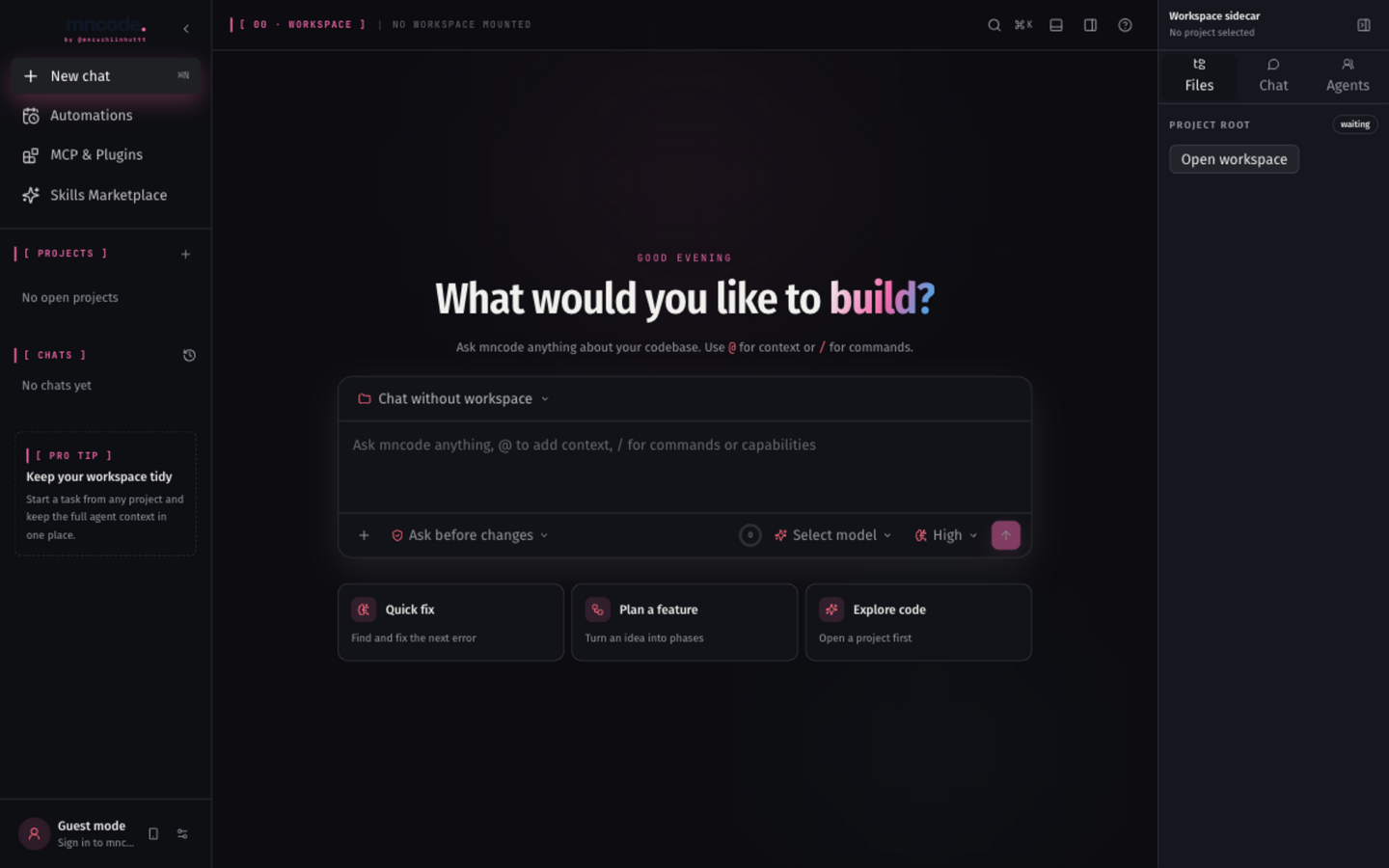
Open the Desktop page →
Downloads pre-built binary, installs to /usr/local/bin/mncode, and configures shell completion.
Installs mncode.exe into ~/.mncode/bin and adds it to your user PATH automatically.
| OS / Platform | Architecture | Filename | Size | Binary Link |
|---|---|---|---|---|
| macOS | Apple Silicon (M1 / M2 / M3 / M4) | mncode-darwin-arm64 | 18.7 MB | Download |
| macOS | Intel (x86_64) | mncode-darwin-amd64 | 19.6 MB | Download |
| Linux | x86_64 (amd64) | mncode-linux-amd64 | 19.1 MB | Download |
| Linux | ARM64 (aarch64) | mncode-linux-arm64 | 18.1 MB | Download |
| Windows | 64-bit (x64) | mncode-windows-amd64.exe | 19.7 MB | Download |
Check the binary
Open a fresh terminal and run the version command. You should see v0.1.7-beta printed back.
Link your account
Pair the CLI with your mncode account to sync telemetry, quotas, and the skill catalog.
Start your first run
cd into any project and launch the REPL. The docs cover slash commands, skills, and Ultra Workflows.